Stop vibe coding.
Go from idea to done in a weekend.
The Build Kit is a free, reusable starter repository for building real software with AI — a small AI control layer, the starter files, the guided setup, ready to use. It's how you get from a blank screen to a real first build, without the overwhelm.
Stop vibe coding.
Vibe coding is whack-a-mole. Try to win.
Whack the bugs — if you can.
The Build Kit is a free, reusable starter repository for building real software with AI — a small AI control layer, the starter files, the guided setup, ready to use. Lose the game, then grab the Kit and skip the blank screen.
Join hundreds of builders who started exactly here.






New here?
Watch this first.
One video, the whole picture — what we do, why it works, and whether it's for you. If you watch one thing on this site, watch this.
What's in the Build Kit
What you're getting — and it's not a PDF.

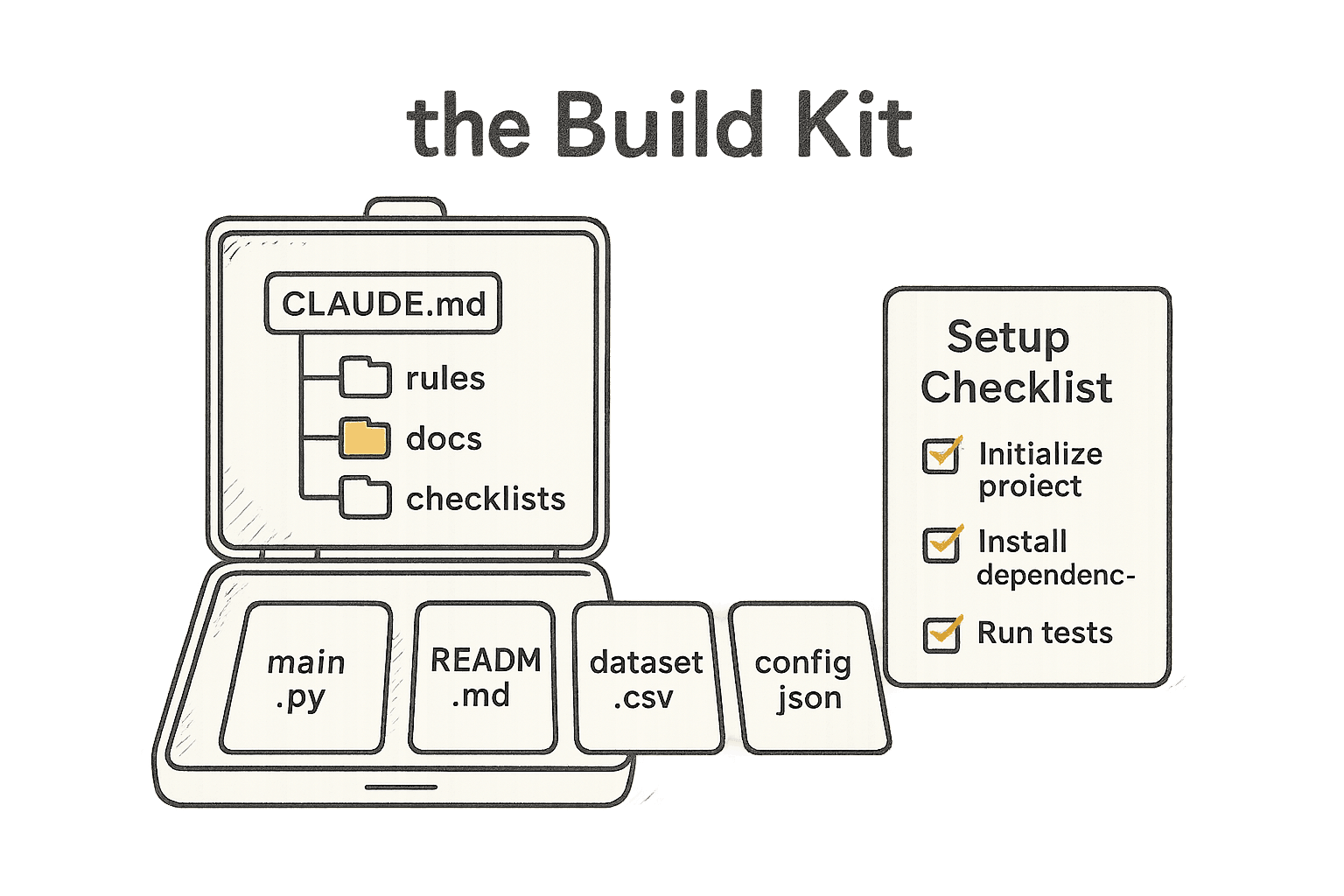
The Build Kit is a free, reusable starter repository for a real AI build: duplicate it, open the copy, and start building today.
A reusable starter repository — duplicate it for every new project and keep the original clean. A small AI control layer — context/, rules/, documentation/, verification/, feedback/ — sits over your project's own structure; your source, tests, and packages stay where your stack puts them.
A guided setup, run by the AI. — Open the duplicate and type "/start" (or say "where do I begin?"). The AI walks you through provisioning your project — name it, map the structure your stack actually uses, fill in the context, set the rules, record your first decision, define what "done" means.
The First-Build Checklist — the five controls, and the checks that turn "it looks done" into "it is done."
Works where you already are — Claude Desktop or Claude Code (both free), or any AI tool you like.
Most people don't have this, and don't know they need it. That's the whole problem the Kit solves.
Who this is for
You don't need to be an engineer. You need to be the one driving.
AI Code that Works is for capable, non-technical people who have something real to build — and want it to work, not fall apart. It doesn't have to be production software or a startup. A workflow automation that saves you a day a week, a tool your team actually uses, a system that runs part of your business — if it delivers real value, it counts.
Not for you if you want a magic button. This takes the method and your effort. That's the deal — and it's why it works.

The founder
Built by someone who isn't an engineer either.
Alex Brockway isn't a developer. He needed software to exist, did it the slow expensive way for a year, then watched AI build it fast and break it faster — until he built the method that made it hold. Scale B.O.S.S. runs on it now.
Read Alex's story →Get the kit → learn the method in the free Foundations course → go deeper in the community when you're ready. Start with the kit.
Get the Build Kit. Start building.
It's free. One email, instant download. The blank-screen problem ends here.
Questions, answered.
Is the Build Kit really free?
Yes — one email, instant download, no credit card. It's yours to keep and reuse on every project you build. We email it and add you to Build Notes (the weekly email). Unsubscribe anytime.
Do I need to know how to code to use it?
No. The Kit gives the AI the structure; you direct. A guided walkthrough sets up your first project with you.
What do I do with it after I download it?
Keep the download as your clean master and duplicate the folder for the project you're starting. Open the duplicate in Claude Desktop or Claude Code, type "/start" — or say "where do I begin?" — and the AI takes it from there.
What can I build with it?
A SaaS, an internal tool, an automation, a personal system — anything you can describe. The Kit's control layer adapts to the structure your stack already uses; it doesn't replace it.
Learn from proof , not hype.
This is the stripped-down starter version of the exact system used to ship Scale B.O.S.S. — a real business operating system, live with real customers — and to build RevAStack, our own software company, in public.